
Introduction
The data browsing feature in DB Browser for SQLite provides an easy way to update data in a table. This is briefly described in the first part of this lesson. The second part of this lesson then covers the syntax of the SQL UPDATE statement.
Update data with DB Browser
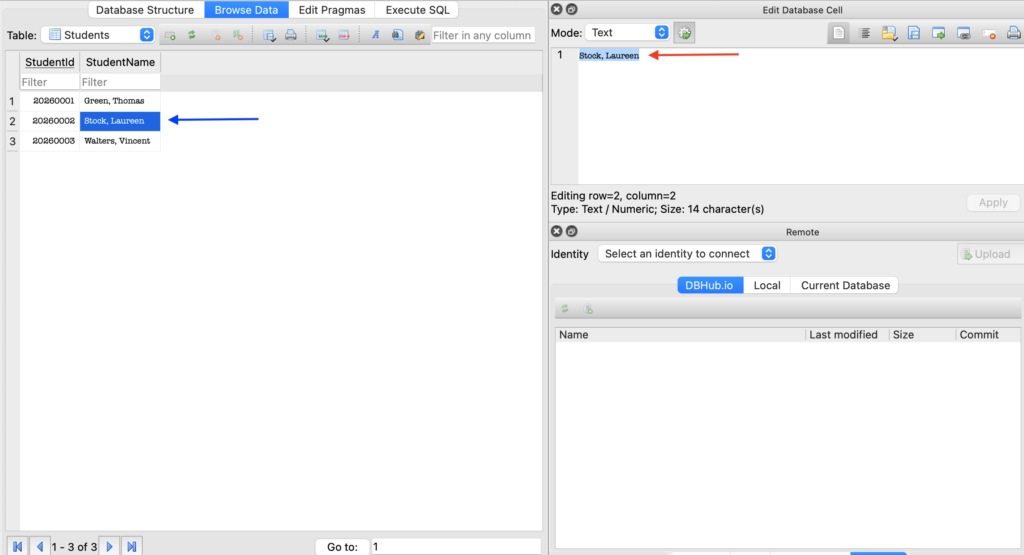
To update data (for example, Stock, Laureen must be changed to Stock, Laura), you must first select the table and retrieve its contents using the Browse Data button. You can then select the field that needs to be corrected. The change can then be made directly in the data grid (blue arrow on screenshot above) or in the Edit Database Cell section (red arrow on screenshot above).
Update data with an SQL statement
The general SQL syntax for updating data is as follows:
UPDATE table_name
SET column_name1 = new_value1 [,column_name2 = new_value2]...
[WHERE conditional_expression];
The WHERE clause is optional. If you forget the WHERE clause, all records in the table will be modified!
If the WHERE clause is omitted, all rows in de table will be modified!
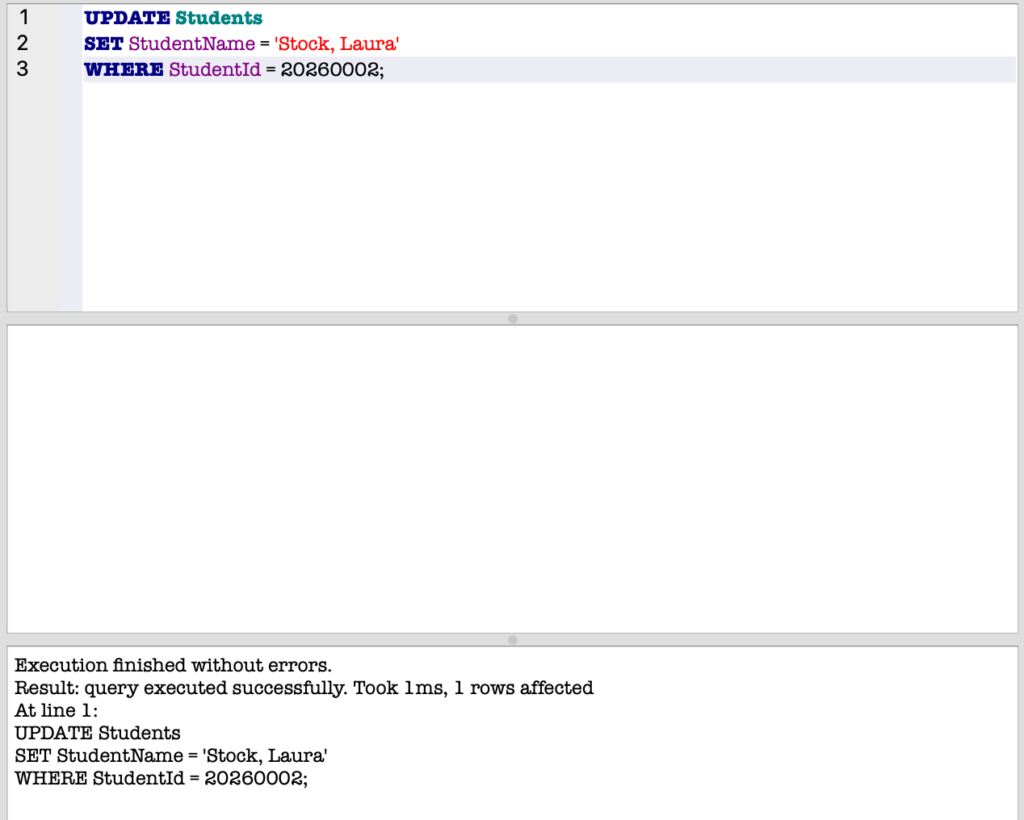
In the example above, the name of the student (column_name StudentName) with StudentId = 20260002 is changed to Stock, Laura.
If the WHERE clause refers to multiple rows in the table, all these rows will be modified!