
Introduction
A row can be deleted from a table using the DB Browser for SQLite app or via an SQL statement. Both solutions are discussed in this lesson.
Remove a row with DB Browser
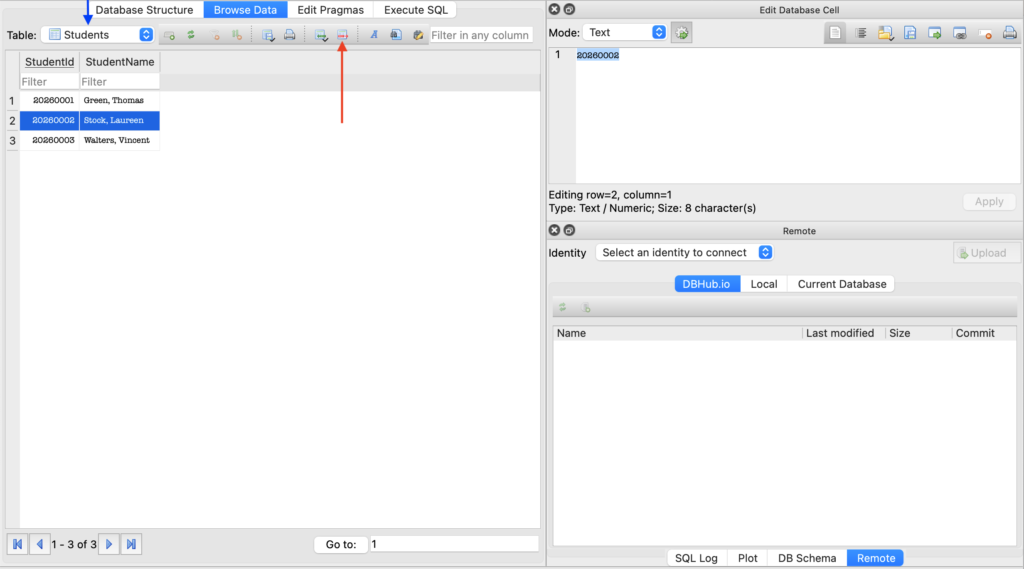
To delete a row from a table, first select the correct table (see blue arrow in the screenshot above) and retrieve the table data using the Browse Data button. Then select the row you want to delete and press the Delete the current record button (see red arrow in the screenshot above). The record will be permanently deleted from the table.
Remove a row with an SQL statement
The SQL statement to delete one or more rows from a table looks like this:
DELETE FROM table_name
   [WHERE conditional_expression];
The WHERE condition is optional. If the WHERE condition is not specified, all records from the table are deleted.
A DELETE statement without a WHERE condition will remove all rows from a table!
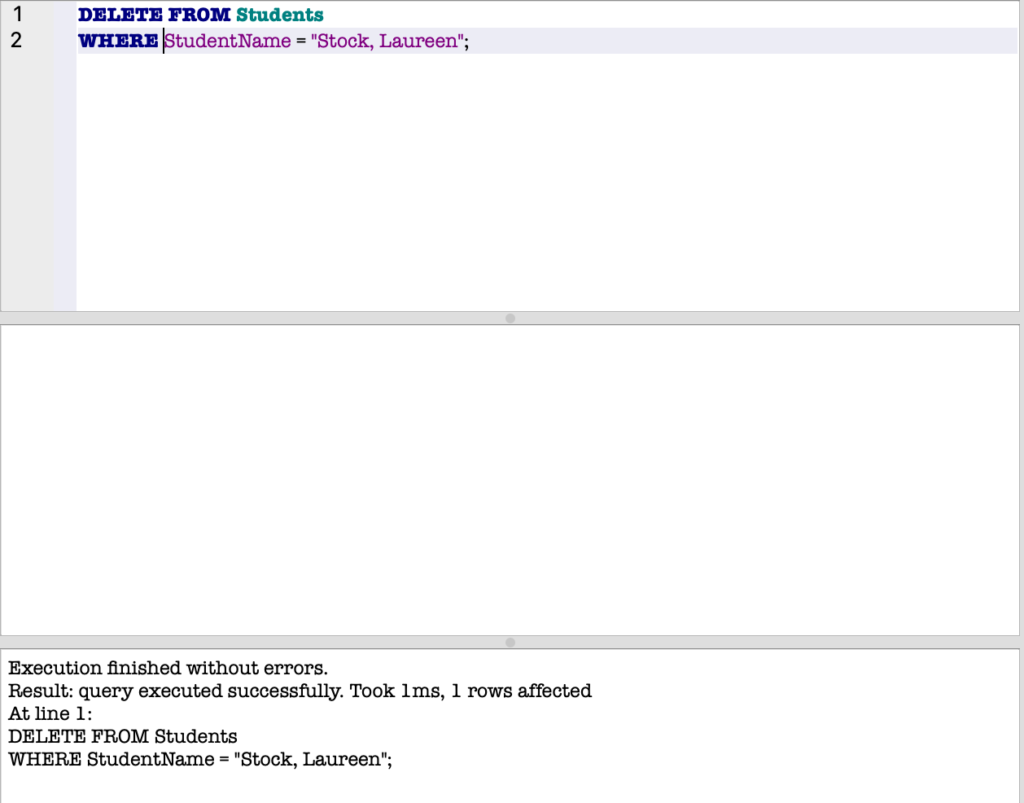
In the example above, the row that refers to the student with StudentName equal to “Stock, Laureen” is permanently deleted. If there were multiple students with the same name, they would all be deleted.